Team Status Report for 3/29

Risk Management:

Risk: Comparison algorithm not being able to handle depth data

Mitigation Strategy/Contingency plan: We plan to normalize the test and reference videos so that they both represent absolute coordinates, allowing us to use euclidean distance for our comparison algorithms. If this does not work, we can fall back to neglecting the relative and unreliable depth data from the CV and rely purely on the xy coordinates, which should still provide good quality feedback for casual dancers.

Risk: Comparison algorithm not matching up frame by frame – continued risk

Mitigation Strategy/Contingency plan: We will attempt to implement a change to our algorithm that takes into account a constant delay between the user and the reference video. If correctly implemented, this will allow the user to not start precisely at the same time as the reference video and still receive accurate feedback. If we are unable to implement this solution, we will incorporate warnings and counters to make sure the users know when to correctly start dancing so that their footage is matched up with the reference video

Design Changes:

There were no design changes this week. We have continued to execute our schedule.
Danny’s Status Report for 3/29

This week I focused on addressing the issues brought up at our most recent update meeting, which is the sophistication of our comparison algorithm. We ultimately decided that we would explore multiple ways to do time series comparisons in real time, and that I would explore a fastDTW implementation in particular.

Implementing the actual algorithm and adapting it to real time proved difficult at first, since DTW was originally used for analysis of complete sequences. However, after some research and experimentation, I realized that we could adapt a sliding window approach to implementing DTW. This meant that I would store a certain number of real time frames in a buffer and try to map that as a sequence onto the reference video.

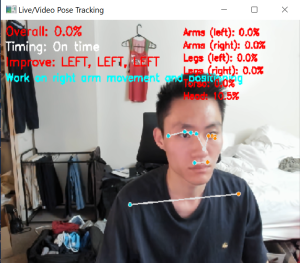
Then, since our feedback system in Unity has not been fully implemented yet, I chose to apply some feedback metrics to the computer vision frames, which allow us to easily digest the results from the algorithm and try to optimize it further.

Example of feedback overlaid on a CV frame:

Akul’s Status Report for 3/29

This week, I worked on getting us set up for the Interim Demo. After meeting with the professor on Monday, we explored how to improve our comparison algorithm. Before, we mostly just had a frame-to-frame comparison which had okay accuracy. With that, we explored how to use DTW, not just for post-processing, but also for real-time feedback. I first started by doing some more research into how other people have used DTW for video processing. I read a few papers on how others used DTW for feedback, and I was able to gain a better understanding of how the algorithm works and why it is suitable for our application.

We incorporated DTW by comparing shorter segments of the input video. The biggest pivot we had with this compared to what we originally planned to do was using DTW for the real-time feedback. We did this by comparing specific segments of the video at a time with DTW, rather than using the entire video. We did this because of the time-complexity of DTW – the longer the segment we choose (our original plan was to make the segment the whole video), the longer it will take, as it has a quadratic time complexity. In this case, we were able to segment the video into smaller chunks, allowing us to use DTW for real-time feedback. 

Additionally, I worked on getting test data and planning how our actual interim demo will go. I considered the use-case application of our system, looking at actual dances we would want to replicate. One thing that I found that I personally enjoyed was learning how to do Fortnite dances, which are short and simple dances that can be generally difficult to master. We also played around with uploading these videos to our pipelined system, allowing us to test with other inputs. 

Our progress is on schedule. We have two main components: the Unity side that displays both the reference video and the user video human figures to showcase in real-time how the user dances, and the comparison algorithm that actually showcases what parts of your dance moves correspond to a video, providing if you are dancing well or not. Next steps include integrating both of these aspects together for our total final demo in the next few weeks.

Akul’s Status Report for 3/22

This week I focused on improving our comparison algorithm logic and exploring the dynamic-time warping post processing algorithm. In regards to the frame-by-frame comparison algorithm, last week, I made an algorithm that takes in two videos and outputs if the dance moves were similar or not. However, the actual comparison was giving too many false positives. I worked on debugging this with Danny to see what some of the problems were with this, and I found that some of the thresholds were too high in the comparison logic. After tweaking these and spending time testing these with other video points, the comparisons got better, but they aren’t 100% accurate. 

With that, I decided to begin working on the dynamic-time warping algorithm to get a sense of what we could do to improve our overall performance and feedback to the user. I spent some time thinking about how we would implement the dynamic-time warping algorithm and also how we would use this to actually provide useful feedback for the user. I broke it down to measure similarity but also highlight specific areas for improvement, such as timing, posture, or limb positioning using specific points in the mediapipe dataset. I began implementation, but am currently running into some bugs that I will fix next week. 

I also worked with Rex to begin incorporating the comparison logic to the Unity game. We met to catch each other up on our progress and to plan how we will integrate our parts. There were some things that we needed to modify such as the JSON formatting to make sure everything would be okay compatibility wise. For next week, one goal we definitely have is to incorporate our codebases more fully so we can have a successful interim demo the week after.

Danny’s Status Report for 3/22

This week I was deeply involved in collaborative efforts with Rex and Akul to enhance and streamline our real-time rendering and feedback system. Our primary goal was to integrate various components smoothly, but we encountered several significant challenges along the way.

As we attempted to incorporate Akul’s comparison algorithm with the Procrustes analysis into Rex’s real-time pipeline, we discovered multiple compatibility issues. The most pressing problem involved inconsistent JSON formatting across our different modules, which prevented seamless data exchange and processing. These inconsistencies were causing failures at critical integration points and slowing down our development progress.

To address these issues, I developed a comprehensive Python reader class that standardizes how we access and interpret 3D landmark data. This new utility provides a consistent interface for extracting, parsing, and manipulating the spatial data that flows through our various subsystems. The reader class abstracts away the underlying format complexities, offering simple, intuitive methods that all team members can use regardless of which module they’re working on.

This standardization effort has significantly improved our cross-module compatibility, making it much easier for our individual components to communicate effectively. The shared data access pattern has eliminated many of the integration errors we were experiencing and reduced the time spent debugging format-related issues.

Additionally, I worked closely with Akul to troubleshoot various problems he encountered while trying to adapt his comparison algorithm for real-time operation. This involved identifying bottlenecks in the video processing pipeline, diagnosing frame synchronization issues, and helping optimize certain computational steps to maintain acceptable performance under real-time constraints.

By the end of the week, we made substantial progress toward a more unified system architecture with better interoperability between our specialized components. The standardized data access approach has set us up for more efficient collaboration and faster integration of future features.

Team Status Report for 3/22

Risk Management:

Risk: Dynamic Input Integration into Unity Pipeline

Mitigation Strategy/Contingency Plan:
A newly identified risk is the uncertainty regarding how to efficiently store and process dynamic user inputs within our current UI/UX pipeline, particularly in the context of real-time performance comparison. To address this, we will undertake detailed research into Unity’s documentation and forums. Our contingency plan includes setting aside additional team time for prototype development and targeted debugging sessions, ensuring timely resolution without affecting our overall timeline.

Risk: Comparison Algorithm Synchronization Issues

Mitigation Strategy/Contingency Plan:
We continue to face potential challenges in ensuring our comparison algorithm aligns the user’s performance frame-by-frame with the reference video. To mitigate this, we’re refining the algorithm to better accommodate constant timing offsets, allowing flexibility if the user doesn’t start exactly in sync with the reference video. If this proves insufficient, we will implement clear UI warnings and countdown mechanisms to ensure proper synchronization at the start of each session.

Risk: Visual Feedback Clarity and Usability

Mitigation Strategy/Contingency Plan:
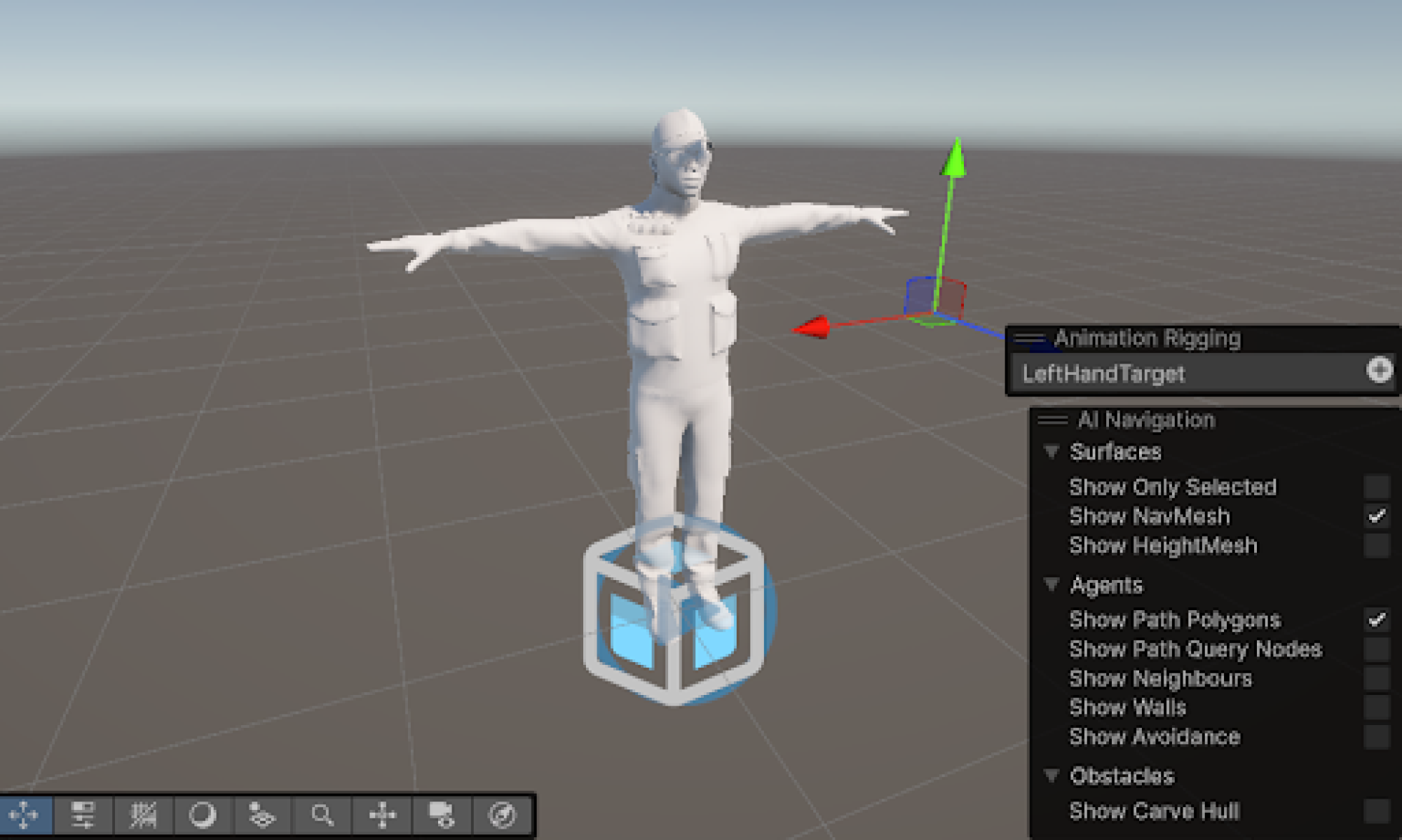
Our original plan to split the Unity mesh into multiple segments for improved visual feedback has encountered increasing complexity. As mesh segmentation proves more cumbersome than initially expected, we’re now considering the implementation of custom Unity shaders to dynamically color individual meshes. Alternatively, we may explore overlaying precise visual indicators directly onto the user’s dance pose to clearly highlight necessary corrections, ensuring usability and meeting user expectations.

Design Changes:

No substantial design changes have occurred this week. Our current implementation aligns closely with our established schedule and original design specifications. PLEASE REFER TO INDIVIDUAL STATUS REPORTS FOR SPECIFIC UPDATES/PHOTOS. However, as noted in the risks above, we are preparing for potential minor adjustments, particularly concerning visual feedback/experience and Unity integration processes.

Team Status Report for 3/15

Risk Management:

Risk: Comparison algorithm not matching up frame by frame

Mitigation Strategy/Contingency plan: We will attempt to implement a change to our algorithm that takes into account a constant delay between the user and the reference video. If correctly implemented, this will allow the user to not start precisely at the same time as the reference video and still receive accurate feedback. If we are unable to implement this solution, we will incorporate warnings and counters to make sure the users know when to correctly start dancing so that their footage is matched up with the reference video

Risk: Color based feedback not meeting user expectations – continued risk

Mitigation Strategy/Contingency plan: We plan to break down our Unity mesh into multiple parts to improve the visual appeal of the feedback coloring, so that users can more immediately understand what they need to do to correct a mistake. We also plan to incorporate a comprehensive user guide to help with the same purpose.

Design Changes:

There were no design changes this week. We have continued to execute our schedule.

Akul’s Status Report for 3/15

This week I focused on developing the comparison algorithm. Now that we had the code to normalize the points based on different camera angles, we had the capability to create a more fleshed out comparison engine to see if two videos contain the same dance moves. 

I spent my time this week creating a script that will take in two videos (one a reference video, one a user video) and see if the videos match via frame-to-frame comparisons. In our actual final project, the second video will be replaced with real-time video processing, but just for testing’s sake I made it so I could upload two videos. I used two videos of my partner Danny who does the same dance moves at different angles from the camera and at some different times. Using these videos, I had to extract the landmarks, get the pose data, and normalize the data in case there were any differences in camera poses. After that, I parsed through the JSONs, trying to see if each of the JSONs at each comparable frame are similar enough. I then created a side-by-side comparison UI that allows us to tell which frames are similar, and which frames are different. The comparison is pretty good for the most part, but I did find that there were some false positives, so I modified the thresholds and it got better as well.

Overall, our progress seems to be on schedule. The next steps will be integrating this logic into the Unity side instead of just the server side code. Additionally, I will need to change the logic to take inputs from a webcam and a reference video instead of uploading two videos, but this should be trivial. Overall, the biggest thing will be to test our system more thoroughly with more data points and videos. Next week, we will work on testing the system more thoroughly as well as beginning to work on our DTW post-video analysis engine.

I couldn’t upload a less blurry picture due to maximum file upload size constraints so apologies for any blurriness in the following images.

Match

No Match

Danny’s Status Report for 3/15

This week, I concentrated on enhancing our integration capabilities and optimizing our data analysis framework. I collaborated with Rex to troubleshoot and resolve challenges related to data synchronization between our computer vision system and Unity 3D visualization environment. This involved identifying bottlenecks in the data pipeline and implementing solutions to ensure smooth data flow between different components of our stack.

Additionally, I made significant progress on integrating advanced mathematical transformation techniques into our real-time processing framework. This work required careful consideration of performance implications and algorithm design to balance accuracy with computational efficiency. The optimized implementation calculates reference parameters once at initialization and applies these transformations to subsequent data points, rather than recalculating for each new data frame.

This architectural improvement from last week has yielded substantial performance gains and enhanced the robustness of our system when handling variations in input data. This is especially useful when we are transitioning into full real time processing. The visualization tools we’ve implemented have provided valuable insights that continue to guide our development efforts.

Danny’s Status Report for 3/8

This week I focused on integrating my existing work with the 3D Unity framework that Rex has been working on as well as continuing to improve upon the Procrustes Analysis method. The unity visualization allowed me to get a better sense of how the procrustes analysis is working and how I could improve it.

Initially, I was running the normalization algorithm on every single frame and normalizing them to the reference frame. However, this presented a serious problem once we tested the algorithm in Unity. If the test and reference video are not the exact same length in terms of the number of frames, we would be normalizing frames that are not aligned at all. This means that we would have very little temporal distortion tolerance, which negates our premise of doing DTW analysis. It also greatly impacted processing time since a new rotational matrix needed to be computed every single frame.

To improve upon this, I changed the algorithm to calculate procrustes parameters only once based on frame 0, and apply the calculated parameters to each frame afterwards. This solution worked well and greatly improved our processing speed.


Reference Footage
Test Footage (Slightly Rotated)
Raw Test Data (Rotated)
Normalized Test Data
Reference